

Departments
Group people into departments, so each team runs its own jobs.
Use case: a company hiring for both engineering and customer support sets up two departments. Each department’s recruiters see and run their own jobs.
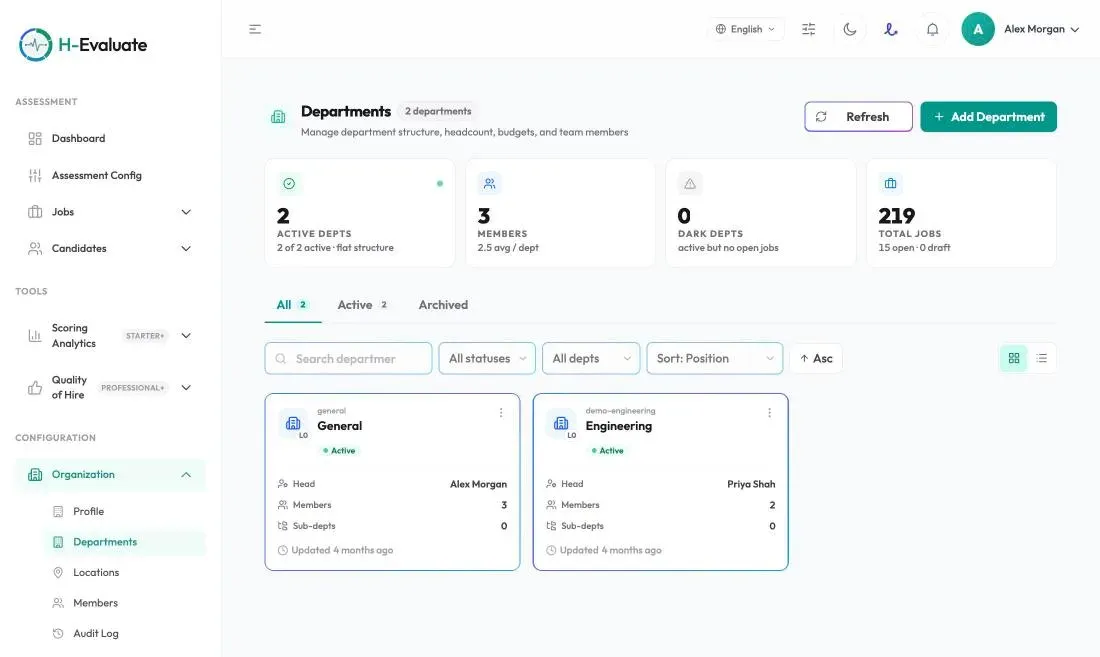
Create a department
Section titled “Create a department”- In the sidebar, open Organization, then Departments.
- Select Create Department.
- Fill in the required fields, then select Create Department.
Add a member to a department
Section titled “Add a member to a department”- Open the department and select Add Member.
- Under Member, pick an active member of your organization.
- Choose a Department Role: Member, Recruiter, Interviewer or Viewer.
- Select Add to list. Repeat for anyone else you want to add.
- Optional: to make someone a department leader, tick Also assign a leadership role, select Continue, and pick Department Head, Hiring Manager or Department Admin.
- Select Add Member.
- Invite people to the organization first on the Members page. Then add them to a department.
- A job belongs to a department. Recruiters can create jobs only in departments where they have that permission.
- To link a hiring manager to a job, the department needs a member with the Dept Head, Dept Admin or Hiring Manager role.
- Next: Jobs
- Related: Team and roles
- Need help? Email [email protected].