

Generate questions
H-Evaluate writes the questions for each job from the job’s details and its assessment settings. You start it from the job page. It usually takes a few minutes.
Use case: a recruiter has published a job for a customer support lead. She opens the job, starts generation, and goes on with other work while the questions are prepared.
Before you start
Section titled “Before you start”- Publish the job first. Questions are built from the job’s final details. While the job is a draft, you see Publish the job first — an assessment is generated from its final details.
- Check the job’s assessment setup. The steps, scoring weights, pass marks and assessment language come from Assessment configuration.
- Have credits ready. Generating a test uses credits. If you are out of credits, the job page tells you and links to Billing.
- You need permission to manage assessments in the job’s department. Recruiters and admins have it.
- Open Jobs and select the job. The job page shows the Assessment workflow, with No assessment yet.
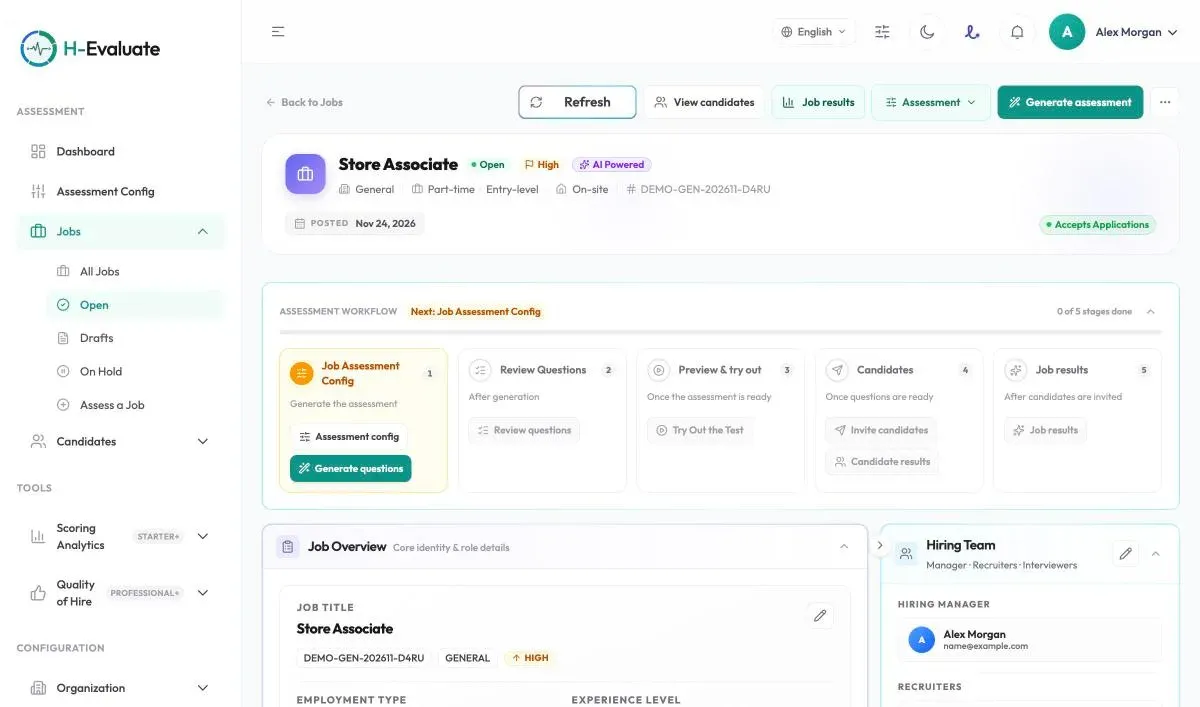
- Select Generate questions.
- Create questions for this job? lists what the test measures. Select Create questions.
- The page shows Generating assessment… and the progress, for example how many questions are ready and about how long is left. You can leave the page: generation continues in the background.
- When it finishes, the workflow shows how many questions were generated and approved. Next, review the questions or try out the test.
Stop generation
Section titled “Stop generation”Select Stop, then confirm with Stop in Stop preparing questions?. Questions already created are kept. To carry on later, select Try again.
If generation does not finish
Section titled “If generation does not finish”- Generation failed or Generation didn’t finish: select Retry generation. Questions that still fit are kept and the rest are made again. You can add guidance for the new attempt, for example “emphasise system-design depth”.
- We couldn’t build questions from this job description: add more detail about the role’s duties and skills, then retry.
- Your assessment isn’t ready yet. No action is needed.: H-Evaluate is still completing the last questions. You can invite candidates as soon as it is ready.
Change the settings after generation
Section titled “Change the settings after generation”If you change the job’s assessment settings after the questions exist, the job page tells you what the change needs. Some changes only update the settings used at test time and keep the questions (Update this assessment?). Others need a new assessment: use Rebuild with new config. Replace this assessment? removes the current questions and creates new ones; this cannot be undone.
Once candidates are invited, the questions are locked, so every candidate’s results stay comparable.
- Requirement coverage shows how many of the job’s requirements have at least one question aimed at them, and names any that are not covered.
- If a job is closed or on hold, reopen or resume it before you invite candidates.
- Next: Review questions
- Related: Assessment configuration, Billing and credits
- Need help? Email [email protected].