

Billing and credits
H-Evaluate uses one credit balance for your whole organization. Work such as generating a test, inviting candidates and screening them uses credits. You can buy credits when you need them, or choose a plan that includes credits every month.
Use case: a small firm hires a few times a year. It stays on Pay as you go and adds credits before each hiring round. A growing agency that hires every month chooses a plan instead, so its credits come in each month.
Who can manage billing
Section titled “Who can manage billing”Only your organization’s owner or an admin sees plan and billing details. Anyone else who opens the page sees You don’t have access to billing, and messages elsewhere ask them to contact their billing admin.
Open Billing
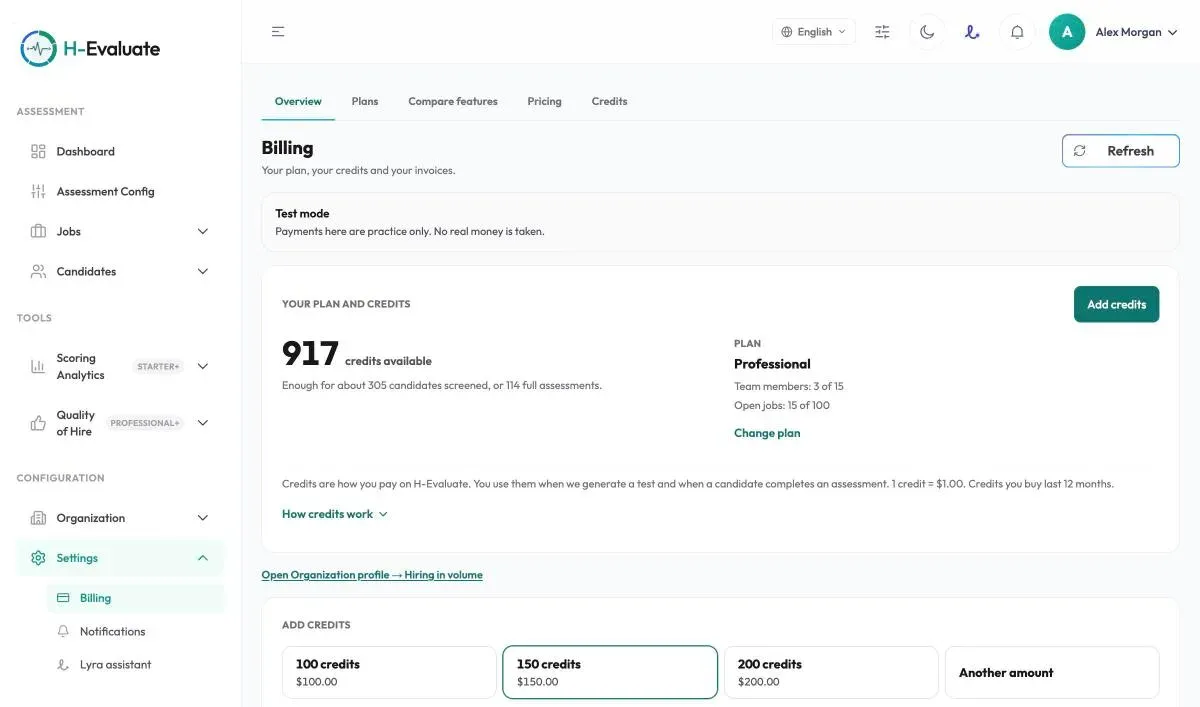
Section titled “Open Billing”Select Settings, then Billing. The page reads Billing: Your plan, your credits and your invoices.
Your plan
Section titled “Your plan”The plan card shows your current plan, when it renews or ends, and how much of it you use, for example team members and open jobs.
- During a Free trial, the card shows how many days are left.
- Select Change plan to see the plans.
Your credits
Section titled “Your credits”Your plan and credits shows how many credits available you have and about how many candidates that is enough for. Credits set aside for work in progress, for example a test that is still being generated, are shown separately.
To add credits:
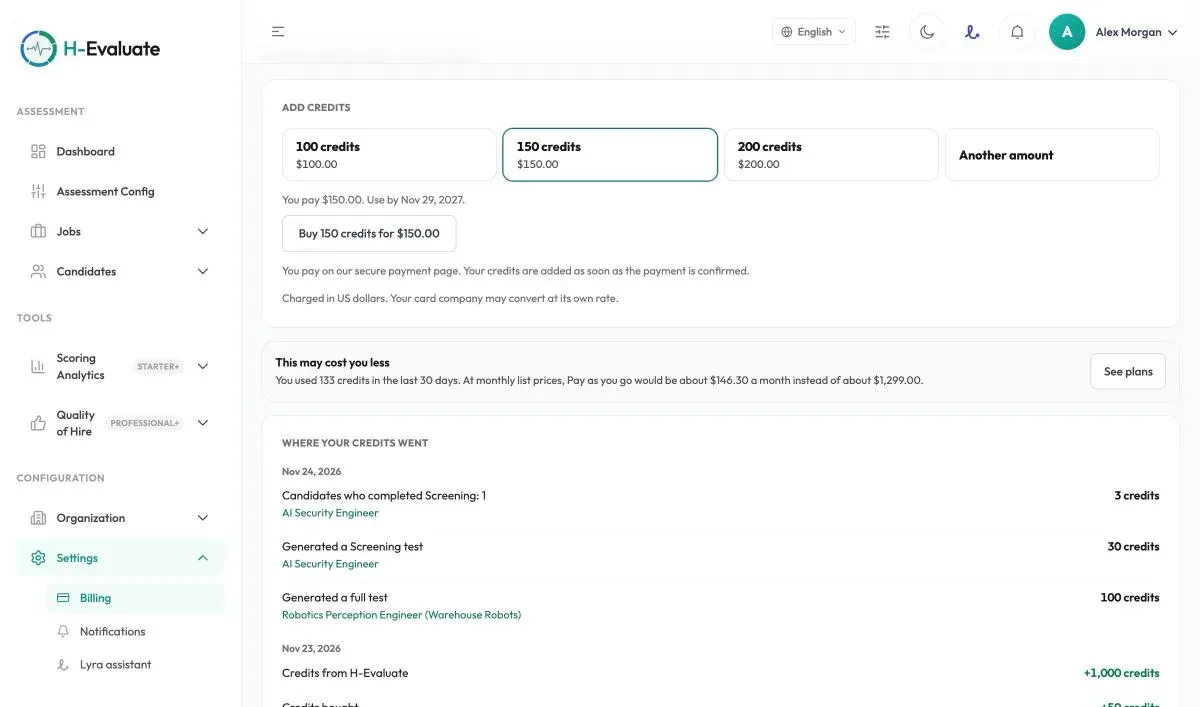
- Select Add credits, or scroll to Add credits on the Billing page.
- Pick an amount, for example 100 credits, or select Another amount.
- Check what you pay and the date by which the credits must be used, for example You pay $150.00. Use by Nov 29, 2027.
- Select Buy n credits for price, for example Buy 150 credits for $150.00. You pay on our secure payment page.
- Your credits are added as soon as the payment is confirmed.
Below, Where your credits went lists what used your credits, by date.
If you leave the payment page before paying, you see No payment was made, and nothing is charged.
Choose a plan
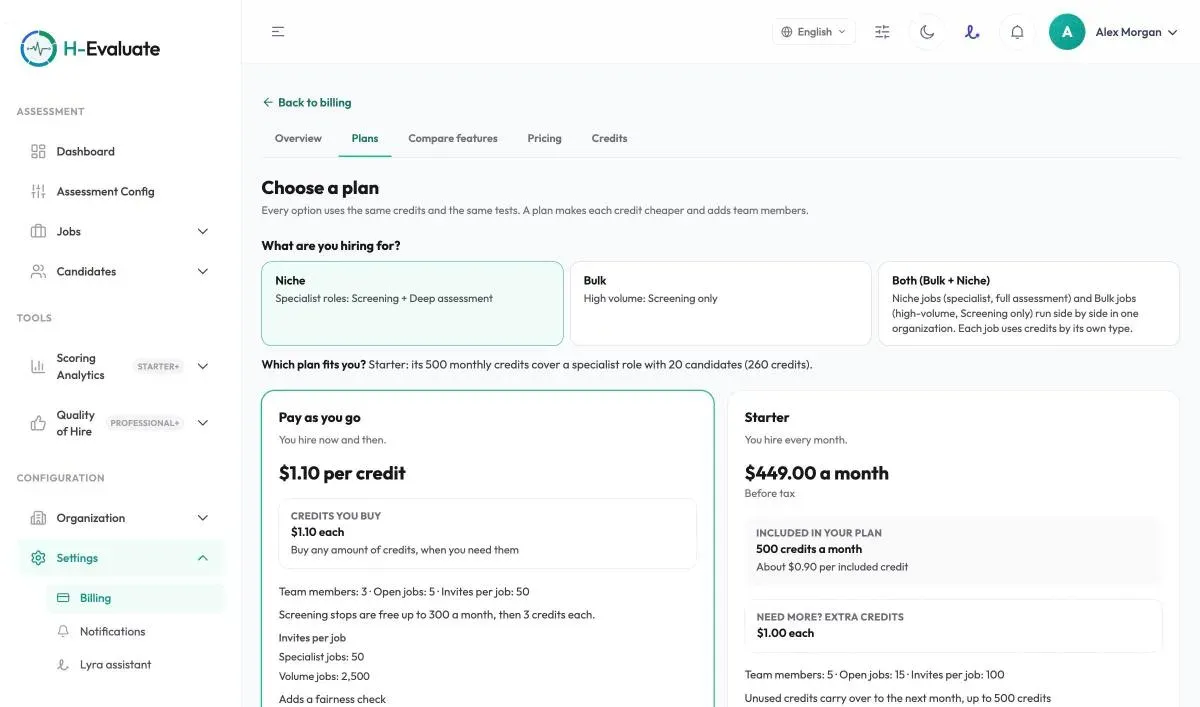
Section titled “Choose a plan”Choose a plan lists Pay as you go, Starter, Professional and Enterprise. Every option uses the same credits and the same tests. A plan makes each credit cheaper and adds team members, and some plans add features such as your own questions or Quality of Hire. Compare features shows what each plan includes.
- Under What are you hiring for?, pick Niche (specialist roles), Bulk (high volume) or Both (Bulk + Niche). Which plan fits you? then suggests a plan.
- Select Choose and the plan’s name, for example Choose Starter, and complete the payment page. Already on a paid plan? Changing it goes through our team: select Talk to us. For Pay as you go, select Buy credits. Where a plan shows Talk to us, select it to reach our team.
- You see Your plan is active when it is confirmed.
Invoices and payment method
Section titled “Invoices and payment method”- Invoices lists your plan invoices and credit purchases. Select View or PDF.
- Payment method: select Manage payment method to change your card, billing details or tax ID on the secure payment portal. Older invoices are also there.
When something needs attention
Section titled “When something needs attention”- Your trial has ended: your results are safe and you can still open them. To invite more candidates, choose Pay as you go or a plan.
- Your last payment didn’t go through: select Update payment method. Your results and candidates are safe.
- Your plan has ended: choose a plan to start new work.
- You’re out of credits: add credits to generate a test, invite candidates or publish a job.
Questions about a charge or a refund? Email [email protected].
- Next: Privacy and data
- Related: Organization and settings
- Need help? Email [email protected].